Home / Deep Analysis / WHAT IF? scenarios
Urban design scenario testing in 3D

Test urban design scenarios in 3D, on the real site

What if that building were taller, or that street closed? WHAT IF? opens a turnable 3D model of the real site with live shadows. Change one thing, raise or lower a building, remove it, close a street or draw a new block, and MapToNap measures what the change does to the place around it: the hours of sun the ground and the neighbouring facades lose or gain, the detours and shortcuts people on foot get, whether the street network splits, and how much of the public space can still be seen. Build two scenarios, A and B, and compare them side by side. It works for any address, with no download beforehand.

Real buildings and streetsTurnable 3D with live shadowsScenario A | BPNG board
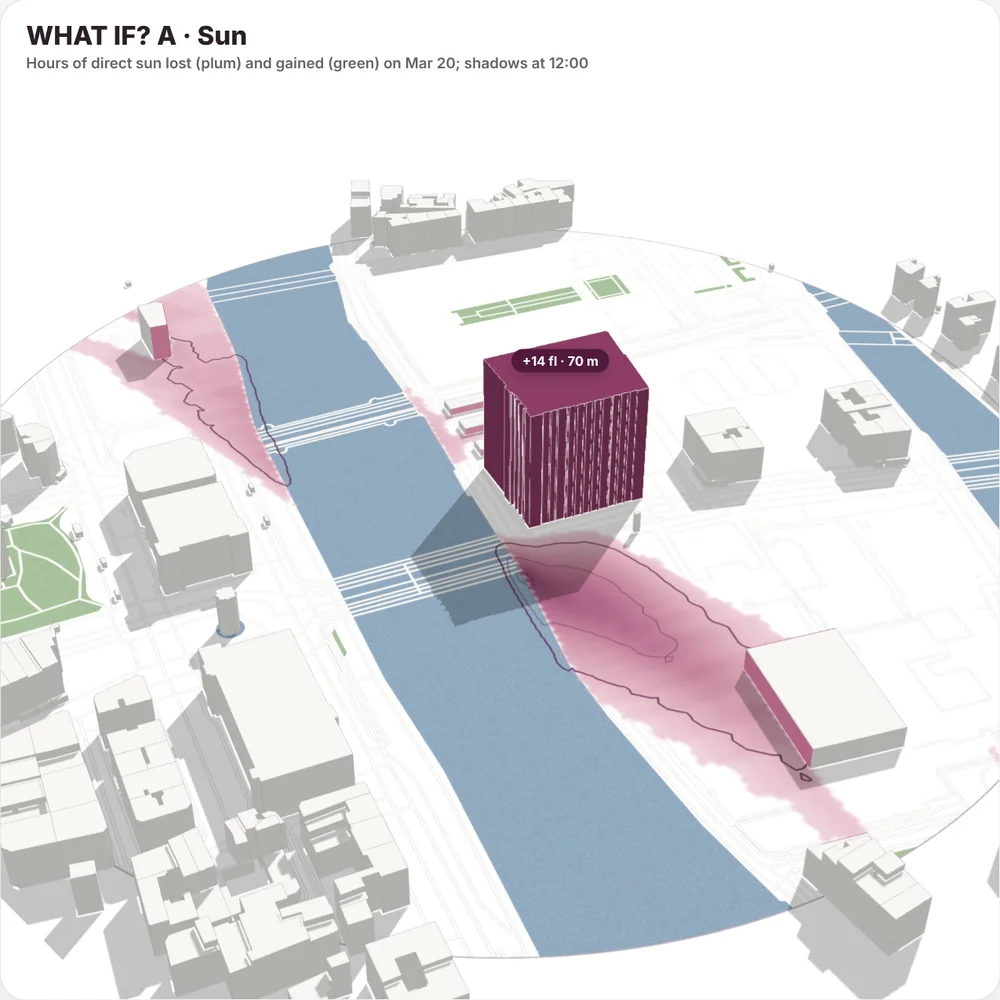
WHAT IF? in MapToNap: a building raised by 14 floors near Pont au Change, Paris, with the hours of sun the ground loses on 20 March
What you can change

Three tools, four measures, two scenarios

Building

Click a building in the model: it lights up and shows its name and floors. Set any number of floors; 0 removes it and opens its plot to walking.

Street

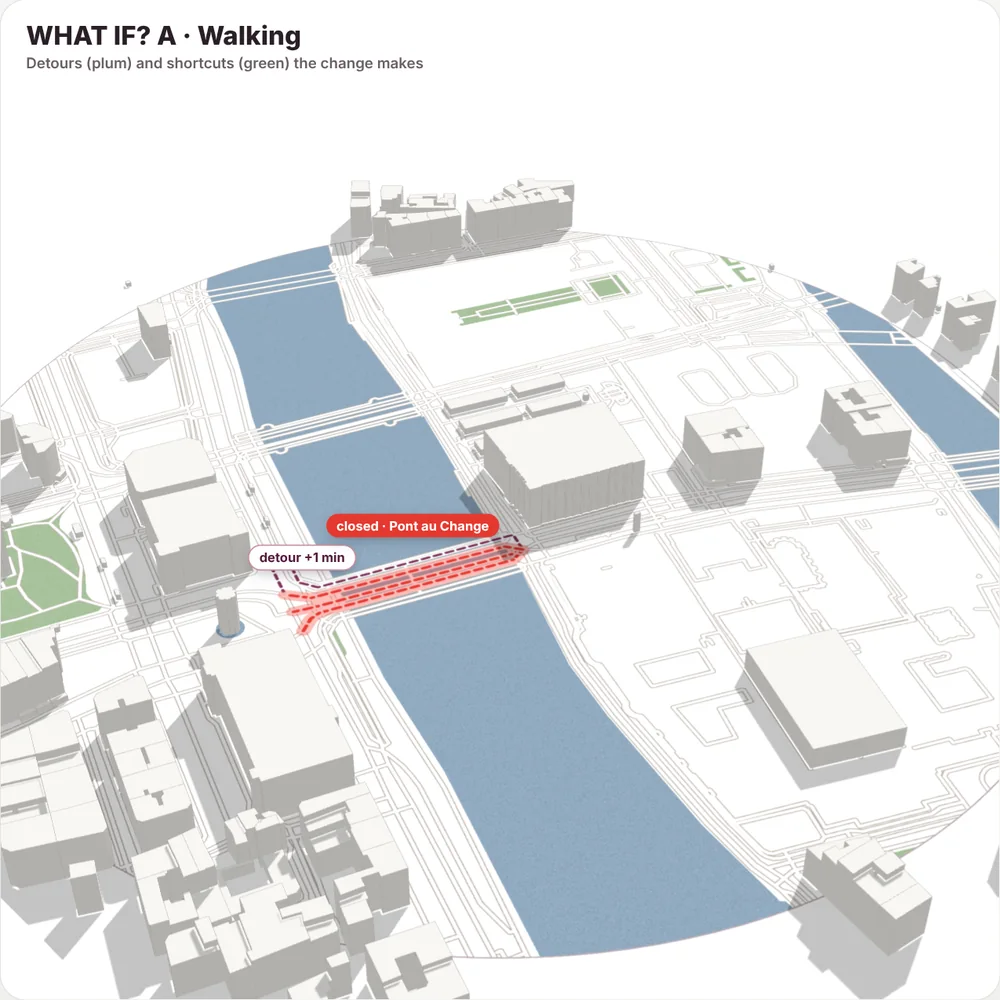
Move over the map: the stretch under the cursor turns red with its name. Click to close it to walking, or close a whole street from the list.

New block

Press and drag on the ground to draw a block, anywhere on the site; move it, turn it and set its floors. Buildings under it are replaced.

Sun

Hours of direct sun lost and gained on the ground through a whole day (20 March, 21 June or 21 December), and the neighbouring facades that lose an hour or more.

Walking and network

The longest detour a closure or a block causes, the largest shortcut a freed plot opens, and the length of street cut off from the rest of the network.

Views and A | B

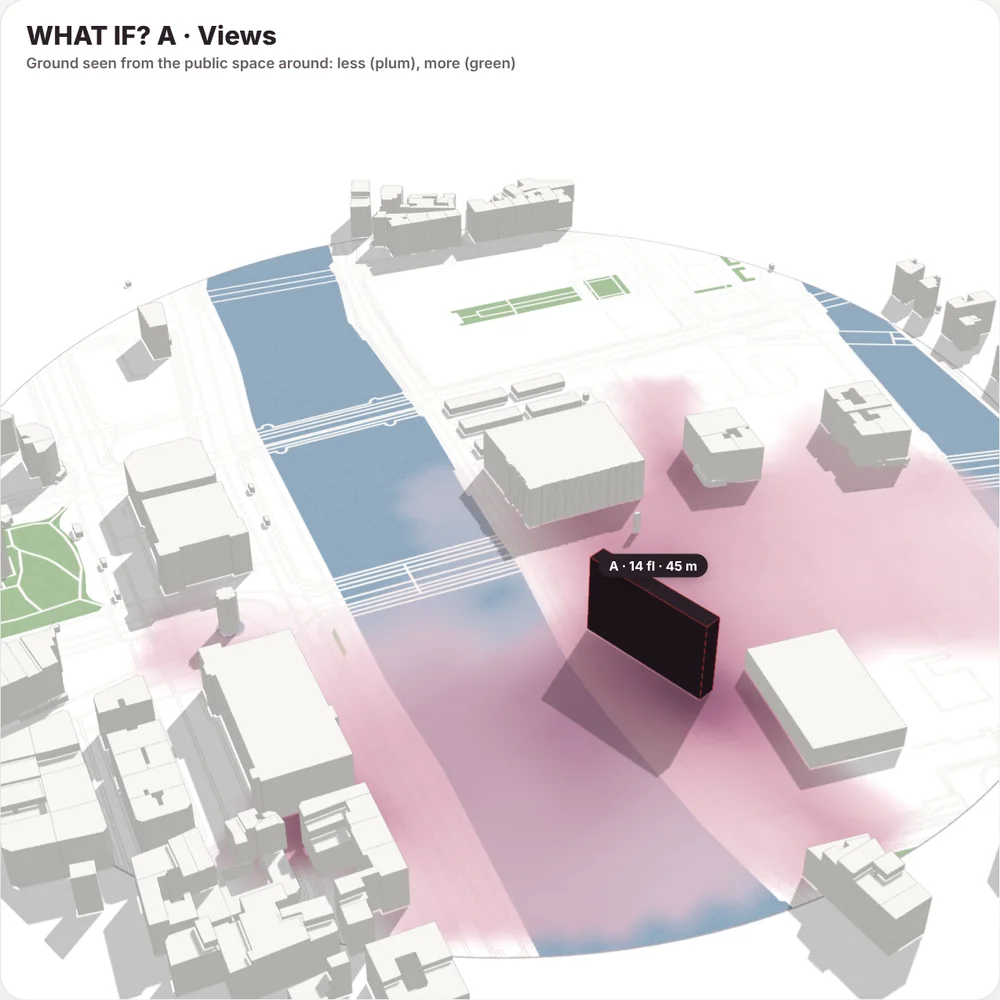
How much ground is seen from the public space around (plan isovists). Two scenarios side by side in a table, saved as one PNG board.

Examples

Three changes around Pont au Change, Paris

Each image is an untouched screenshot of the WHAT IF? model on the Paris sample. The numbers are the ones MapToNap measured for that change.

Map data © OpenStreetMap contributors, available under the Open Database Licence. The images are MapToNap output.

How it works

How to test a design scenario with WHAT IF?

Choose the site

Search any address in Deep Analysis, or open the Paris sample. Buildings, heights and streets load as for the other studies.

Pick a tool and change one thing

Building, Street or New block. What the click will pick lights up under the cursor, with its name.

Read the cards

Sun, walking and views are measured against the site as it is. Switch to scenario B, change something else, and compare A and B in the table.

Save the board

Save the current view as a PNG, or the A | B board with both scenarios and the numbers.

Frequently asked questions

Clear answers before you start

What is WHAT IF?

A Deep Analysis study in MapToNap: a turnable 3D model of the real site in which you change a building, a street or add a block, and measure what that change does to sun, walking, the street network and views. It is meant for the early stage of a design, when you want to know which move matters before drawing it in detail.

Which changes can I make?

A building's number of floors (0 removes it), closing a street or a stretch of it to walking, and up to six new blocks drawn on the ground, each with its own floors and rotation. Up to 24 changes in one scenario, in two scenarios A and B.

How is the sun measured?

The shadows of every building, at its mapped or estimated height, and of every change are traced every 15 minutes from sunrise to sunset on the chosen day, from the real sun path at the site. The result is the hours of direct sun each part of the ground loses or gains, and the facades of neighbouring buildings that lose an hour or more.

How are walking detours measured?

On the walkable street network of the site, with shortest paths at 80 m per minute. Closed streets and new blocks remove the paths they stand on; a removed building opens straight ways across its plot where no other building stands in the way. The card shows the longest detour, the largest shortcut and any streets cut off from the network.

Do building heights change the views?

No. Views are plan isovists, so they change when the ground plan changes (a new block, a removed building), not when a building gets taller. The card says so when only heights have changed.

Is it a prediction of what will happen?

No. These are measurements under the data and assumptions shown: trees, terrain, traffic and how people will actually behave are not modelled. They tell you which change matters and by how much, as a basis for design decisions and discussion.

Is it free?

WHAT IF? is part of Deep Analysis, included in MapToNap Max. It is free to try on the Paris sample, without an account.

Does it work for my city?

Yes, anywhere OpenStreetMap maps buildings and streets. Where building heights are not mapped they are estimated, and the building panel says which heights are estimated.
Related tools

Continue the same site analysis