What counts as an everyday need?
Eight categories: groceries, health, school, park, transit, cafés and food, culture and sport. A street counts as a 15-minute street when all eight can be reached within 15 minutes on foot.
The 15-minute city asks a simple question: can people reach what they need every day on foot? Pick a site and MapToNap colours every street around it by the minutes needed to reach all eight everyday needs — groceries, health, school, park, transit, cafés and food, culture and sport — along the real street network. Separate sheets show walking routes from the site and walking-time isochrones for your boards.
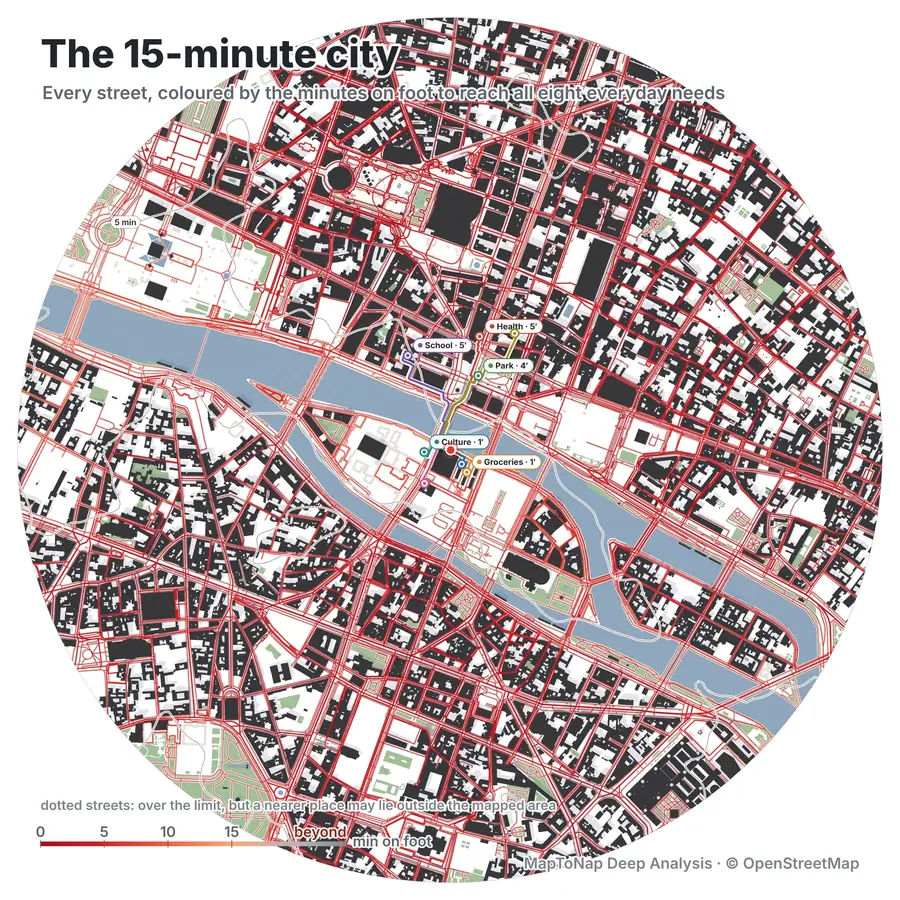
Each street is coloured by the walking minutes to reach all eight needs, so you see where a neighbourhood works on foot and where it falls apart.
Tap any point to see its walk to each need: the nearest grocery, clinic, school, park, stop, café, cultural venue and sports place, with the minutes for each.
Streets over the limit are dotted when a nearer place may lie just outside the mapped area, instead of being shown as poorly served.
The workspace turns walking into board-ready sheets in the same style as the rest of the set. Rendered on the Paris sample.
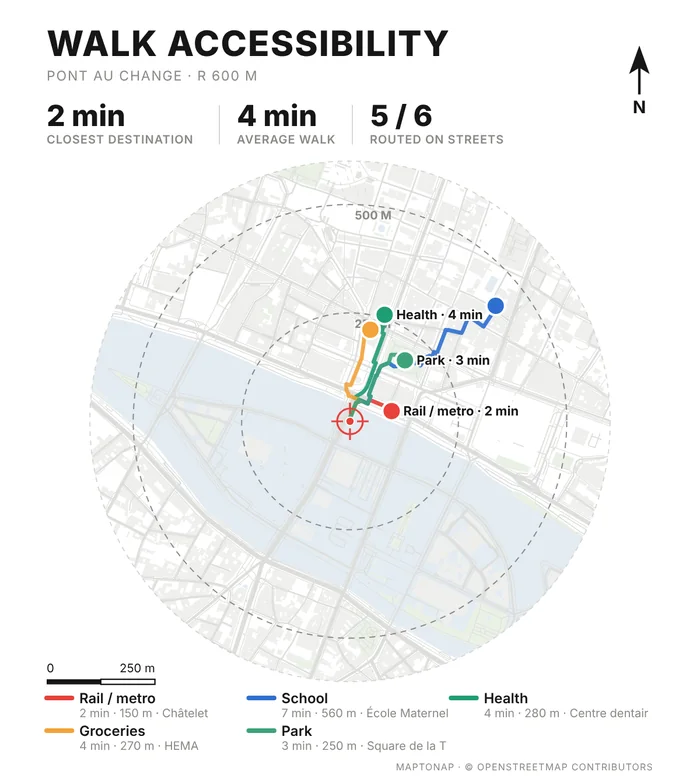
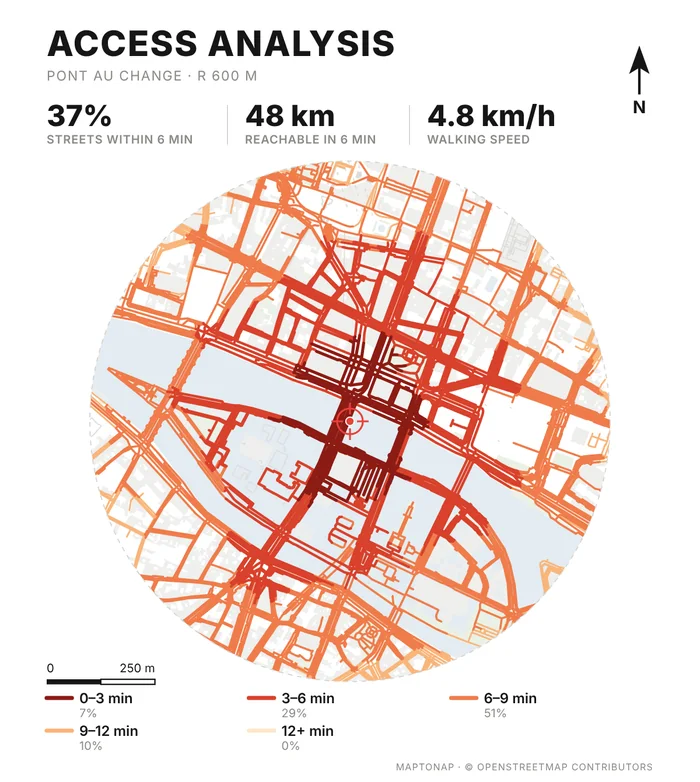
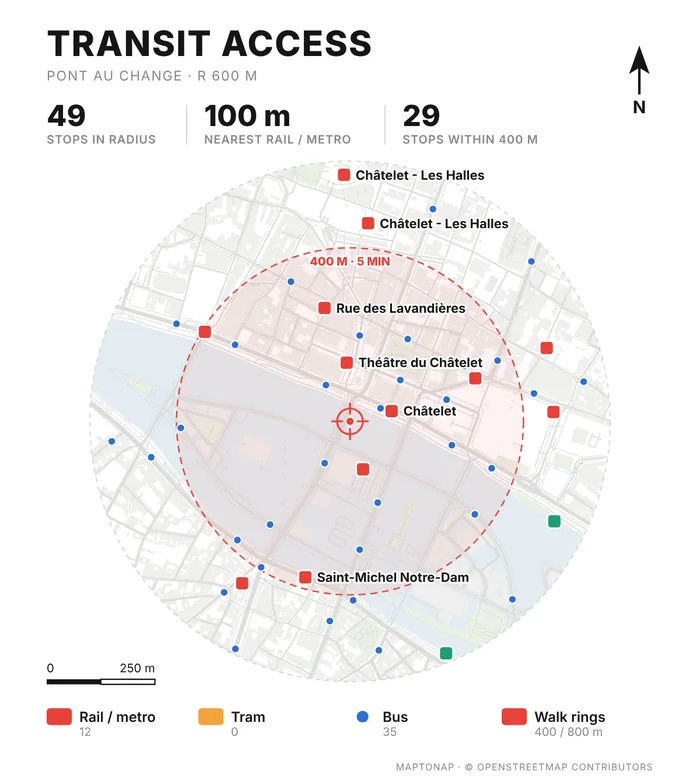
Map data © OpenStreetMap contributors, available under the Open Database Licence. The drawings are MapToNap output for the Paris sample (Pont au Change), shown as flattened previews.
Search an address or click the map, or start with the Paris sample.
In Deep Analysis, switch between 5, 10 and 15 minutes and tap any point to read its walks.
Add Walk Accessibility, Access Analysis and Transit Access to your set and export editable SVG or PDF.
Eight categories: groceries, health, school, park, transit, cafés and food, culture and sport. A street counts as a 15-minute street when all eight can be reached within 15 minutes on foot.
Along the mapped street and path network from OpenStreetMap at a typical walking speed, not as a straight-line radius. Missing paths or shops in the map data will change the result, so check the mapping around your site.
Yes. Every Deep Analysis study, including the 15-minute city, is free on the Paris sample. On your own site it is part of Max. Walk Accessibility, Access Analysis and Transit Access sheets are part of Pro.
It is a design and analysis tool for early stages and student work. For statutory accessibility assessments, use the method your local authority asks for.
The board sheets export as editable SVG, vector PDF or PNG. The Deep Analysis view can be saved as an image for your board.