Where does the wind data come from?
From NASA POWER, a free ten-year record of daily wind at 10 m for the point you pick. The sheet names the source and the period.
Where the wind comes from decides where an entrance, a terrace or a courtyard is comfortable. Pick a site and MapToNap reads the wind record for that point, draws the wind rose and lays the prevailing wind across the real buildings around the plot. A second sheet combines the solstice sun paths and the main winds in one axonometric drawing.
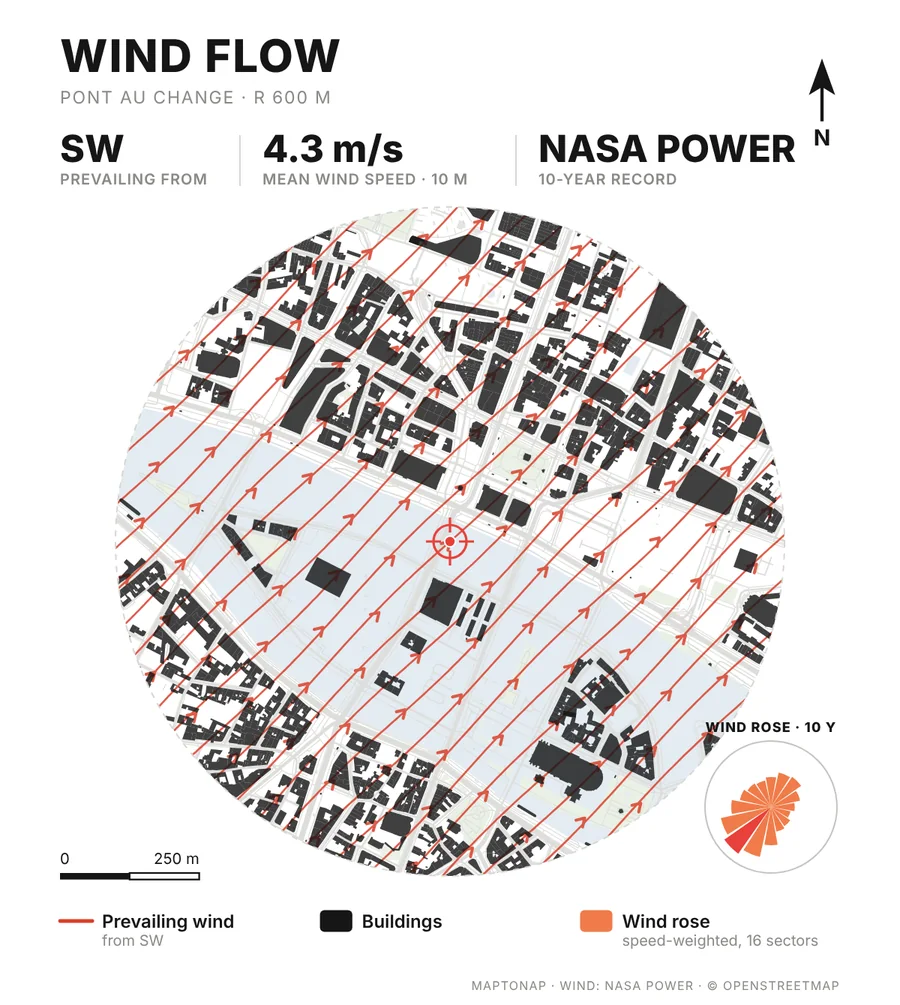
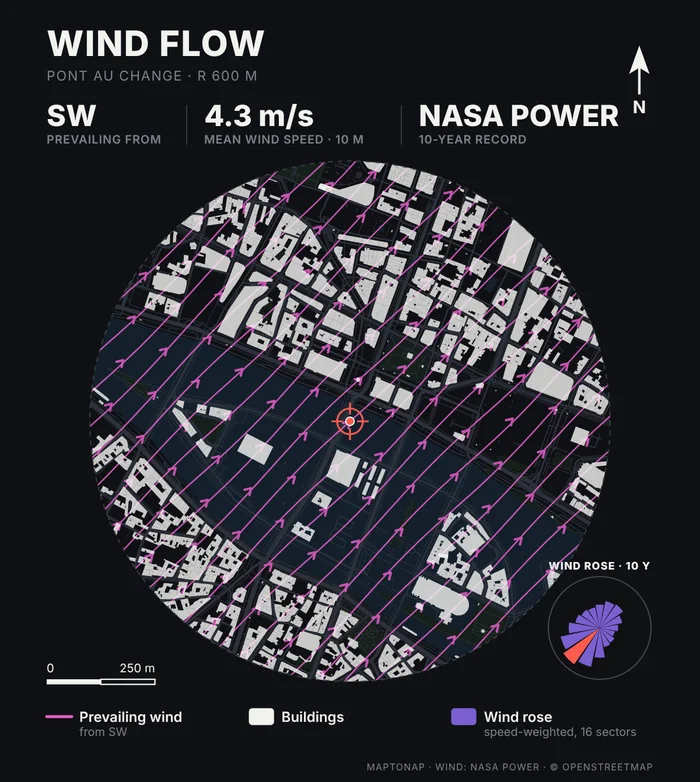
The prevailing direction, the mean wind speed at 10 m and a 16-sector wind rose come from a ten-year climate record for the point you pick (NASA POWER), so a coastal site and an inland site look different.
Wind lines run across the actual building footprints around the site, so the board shows which streets line up with the wind and which courtyards are sheltered from it.
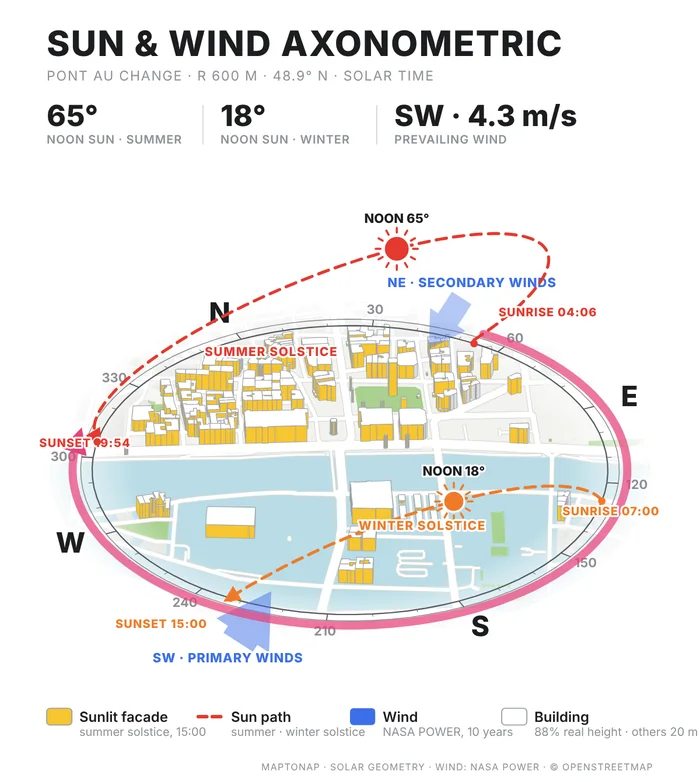
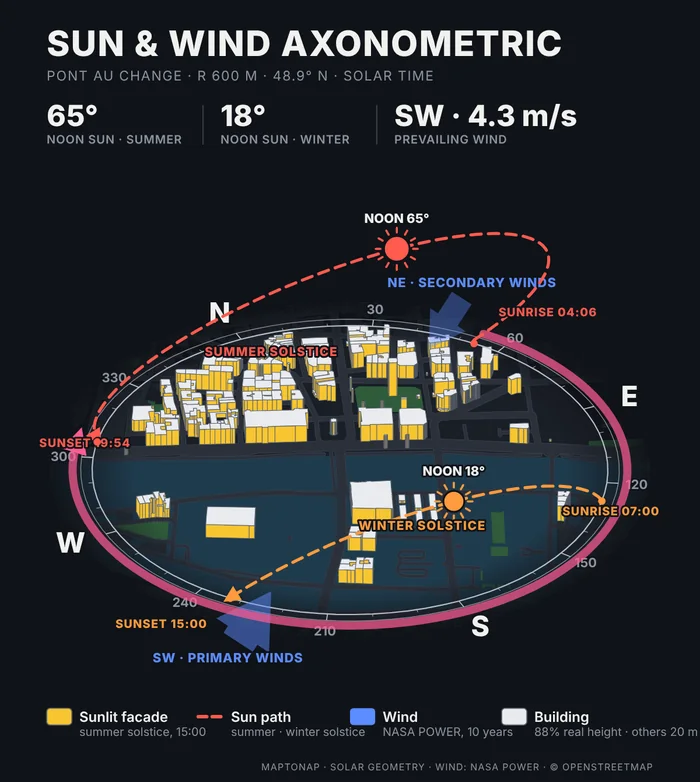
Sun & Wind Axonometric shows the summer and winter solstice sun paths, the sunlit façades and the two strongest wind directions over the 3D massing.
Rendered by MapToNap on the Paris sample, where the prevailing wind comes from the south-west at about 4.3 m/s.
Map data © OpenStreetMap contributors, available under the Open Database Licence. The drawings are MapToNap output for the Paris sample (Pont au Change), shown as flattened previews.
Search an address or click the map. The wind record is read for that point.
Both are Pro analyses. Combine them with the sun path and the other studies in one set.
Choose a colour scheme and export an editable SVG, a vector PDF or a PNG.
From NASA POWER, a free ten-year record of daily wind at 10 m for the point you pick. The sheet names the source and the period.
Wind Flow is a diagram: it shows the prevailing direction across the real buildings, not the airflow between them. Wind · Flow Simulation, a Max analysis, runs a 2D flow simulation around the footprints and marks sheltered areas and wind corridors. Neither replaces an engineering wind or pedestrian comfort study.
Yes. The wind record and the sun paths follow the latitude and longitude of the site anywhere in the world.
Wind Flow and Sun & Wind Axonometric are part of Pro. The free version covers the figure–ground, street network, land use and green & water drawings, with a watermark.
Yes. The SVG export is vector geometry you can restyle in Illustrator, Affinity or Inkscape. A vector PDF and a PNG are also available.