Home / Architecture tools / Noise map for site analysis
Noise map for site analysis

Noise maps for site analysis, drawn from the streets around your plot

Before a measured survey exists, an architect still needs to know which edge of a site faces the traffic and where the quiet courtyard could go. Pick a site and MapToNap draws two noise sheets: road noise zones graded by street type, and a map of the sound sources nearby — traffic, people, leisure, industry and rail, water and green. Both come out as editable vector drawings in the style of the rest of your set.

Any city on OpenStreetMapRoad noise + sound sourcesEditable SVG & PDFPro analysis
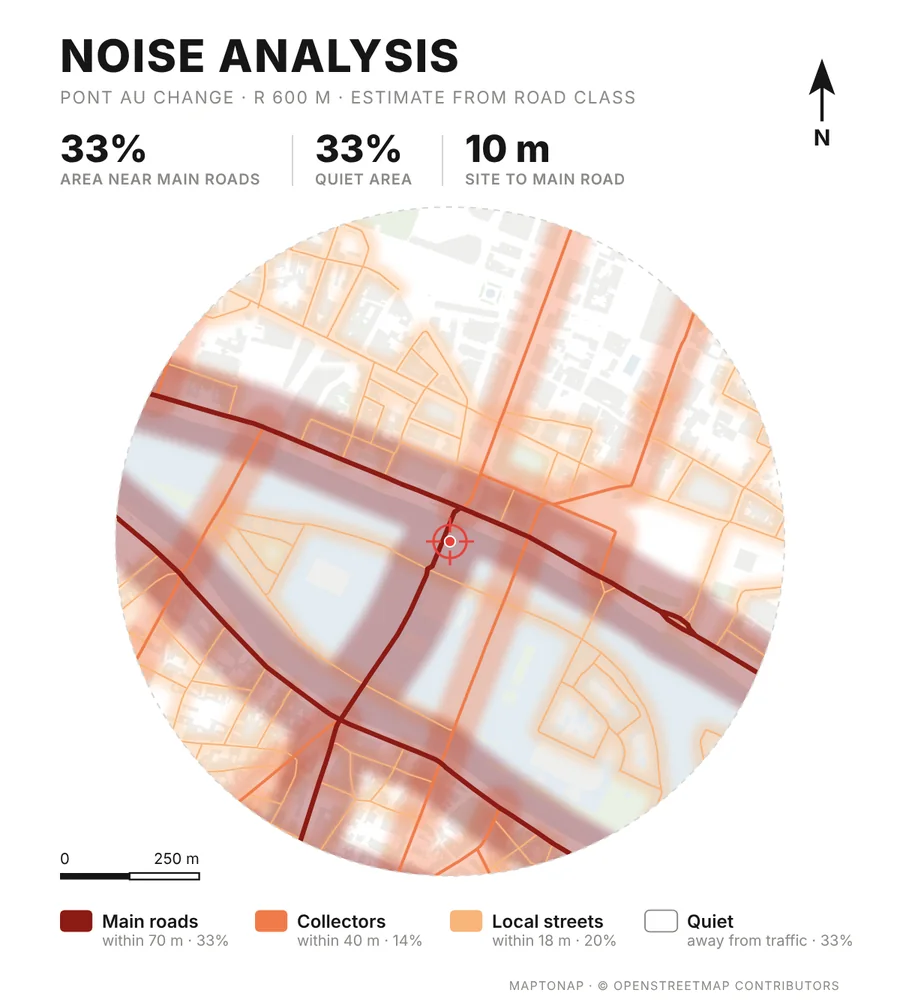
Noise analysis sheet for Pont au Change, Paris: road noise zones by street type, generated in MapToNap
What you get

Two ways to read the sound of a site

Road noise zones

Every street is drawn by how loud it is likely to be: main roads, collectors, local streets and the quiet areas away from traffic, with the share of the site near main roads and the distance from the site to the nearest one.

Sound sources

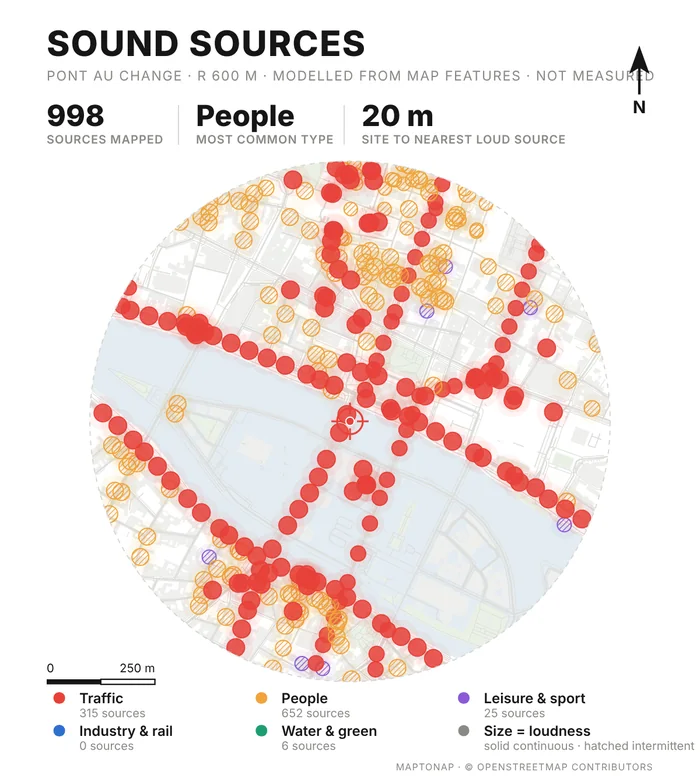
A second sheet places the things that make noise around the plot — traffic, people, leisure and sport, industry and rail, water and green — sized by how loud each type usually is.

Clearly labelled as an estimate

Both sheets say on the drawing that they are estimated from mapped streets and features, not measured. They are for orientation and early design, not for an acoustic report.

Examples

Pont au Change, Paris

Rendered by MapToNap on the Paris sample. The boulevards and the bridges set the loud edges; the river and the block interiors stay quiet.

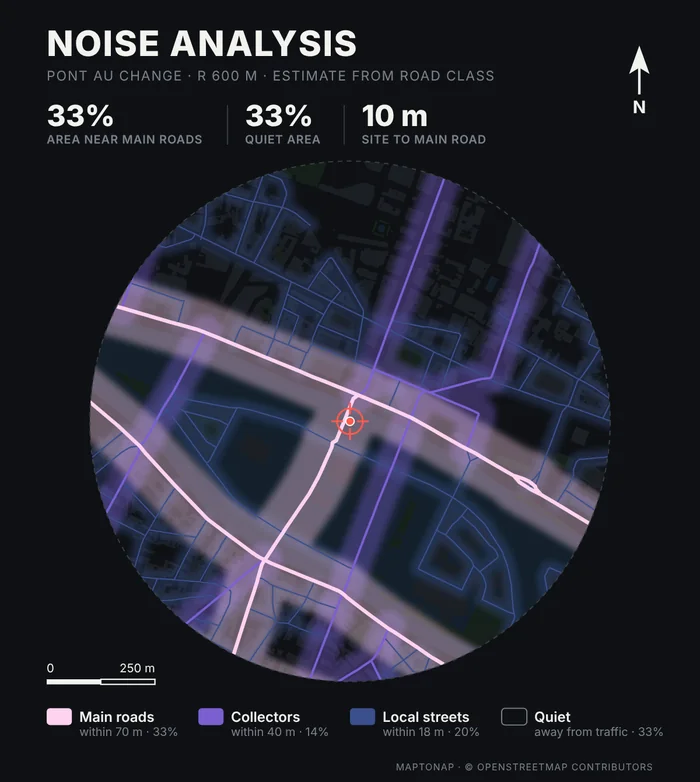
Road noise zones for Pont au Change, Paris, dark colour scheme
Road noise · dark schemeSame analysis in another of the three colour schemes.
Sound sources map for Pont au Change, Paris
Sound sourcesTraffic, people, leisure, industry and rail, water and green, sized by loudness.
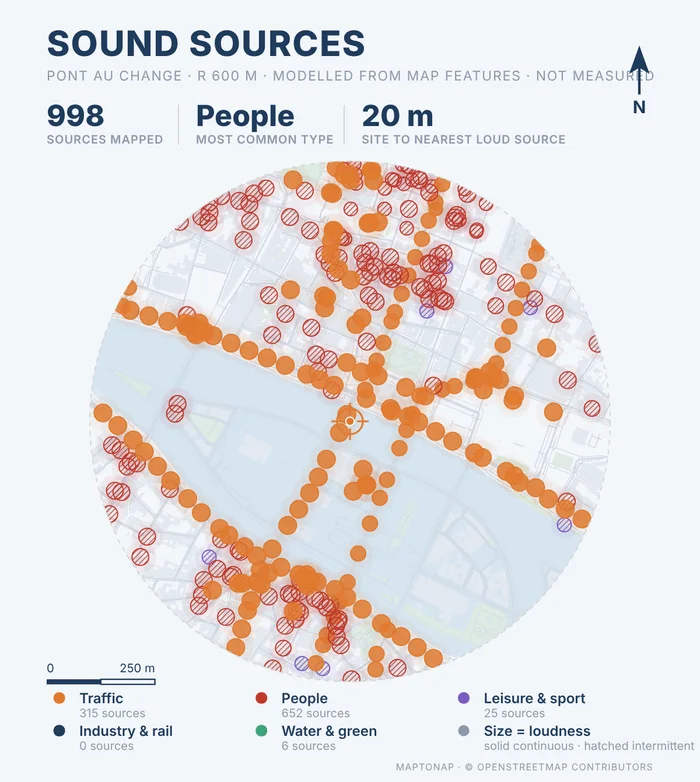
Sound sources map for Pont au Change, Paris, blue colour scheme
Sound sources · blue schemeEach sheet comes in three colour schemes to match your board.

Map data © OpenStreetMap contributors, available under the Open Database Licence. The drawings are MapToNap output for the Paris sample (Pont au Change), shown as flattened previews.

How it works

Three steps, no tracing

Pick the site

Search an address or click the map. The sheet is centred on the point you choose.

Turn on Noise Analysis and Sound Sources

Both are Pro analyses. Add any other studies you need to the same set.

Generate and export

Choose a colour scheme and export an editable SVG, a vector PDF or a PNG.

Frequently asked questions

Clear answers before you start

Is this a measured noise map?

No. It is an estimate from the type of each mapped street and the features around the site, and the sheet says so. Use it to see which edges are likely to be loud early in design. For planning or acoustic compliance, use measured data or a strategic noise map from your local authority.

Where does the street data come from?

From OpenStreetMap. The result is only as good as the mapping around your site, so check that the main roads and the pedestrian streets are tagged correctly.

Does it account for buildings blocking sound?

Noise Analysis and Sound Sources do not. Road Noise · Aural Topography, a Max analysis, traces sound from every street and shows how the buildings around the site shield it.

Is the noise map free?

Noise Analysis and Sound Sources are part of Pro. The free version covers the figure–ground, street network, land use and green & water drawings, with a watermark.

Can I edit the drawing?

Yes. The SVG export is vector geometry you can restyle in Illustrator, Affinity or Inkscape. A vector PDF and a PNG are also available.