Home / Site analysis / Urban context axonometric
3D site analysis drawing

Urban context axonometric for any site

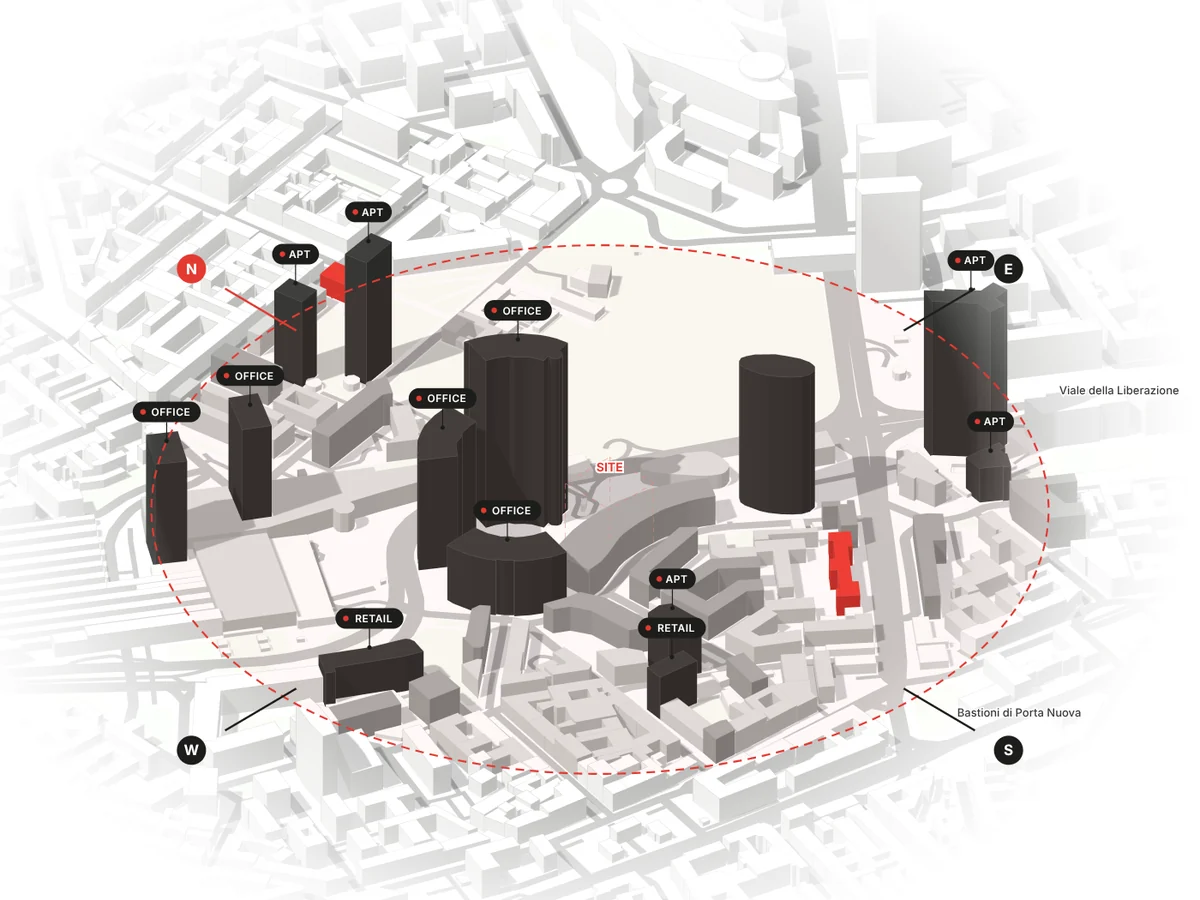
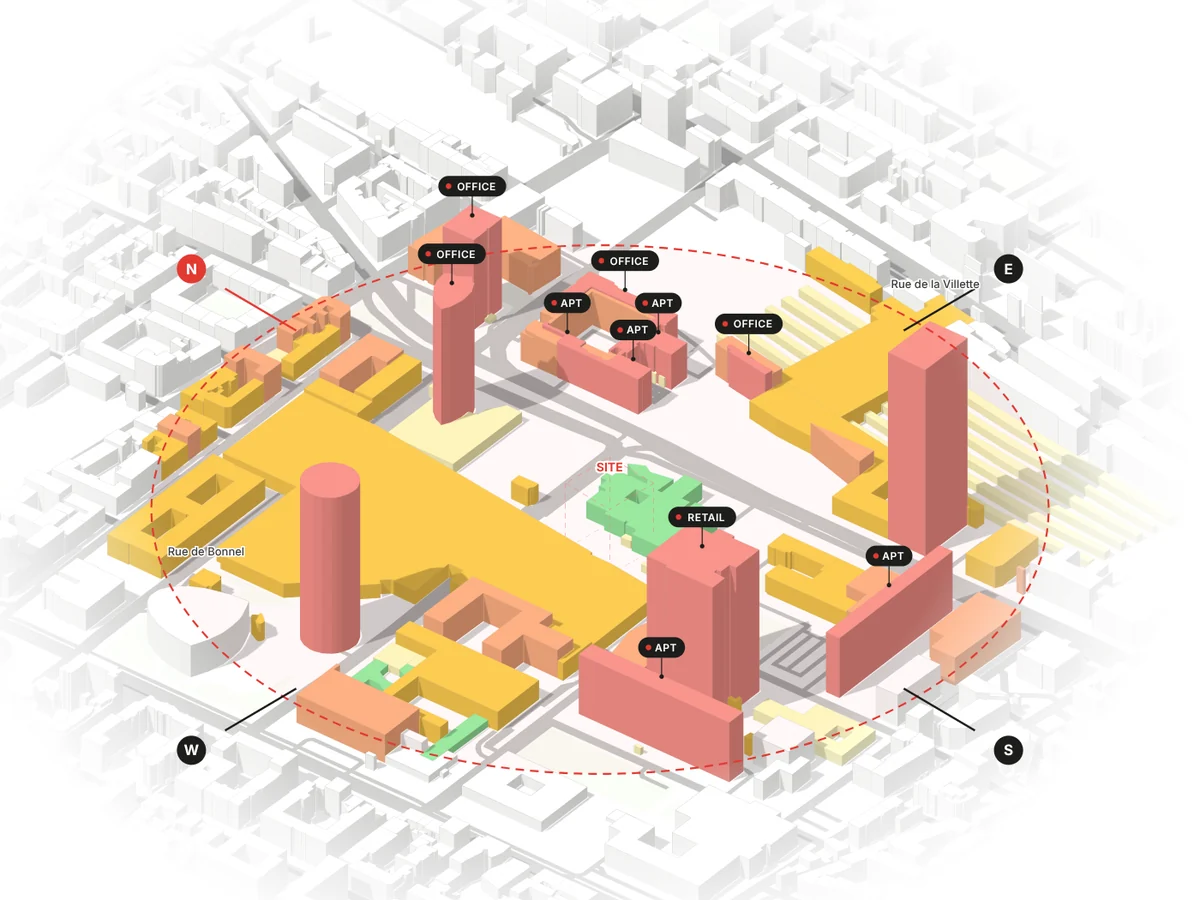
The Urban Context Axonometric draws the city around your site in 3D: every building at its real height, coloured by its number of floors, the uses of the tallest buildings labelled, and a north-south and a west-east section through the site. Choose warm, red or black-and-white. It sits in the 3D tab of the analysis list, next to the 2D drawings, and is made the same way: pick it, generate, download. Free users can make one, with a watermark.

Real building heightsFloors, uses, sections3 colour schemesPNG · SVG · PDF
Urban context axonometric of Porta Nuova, Milan, generated in MapToNap: towers labelled by use, sections north-south and west-east
What is on the drawing

One board that explains the context

Heights by floors

Buildings are extruded to their mapped or measured height, or to their floors where no height exists, and shaded in steps of floors so the skyline reads at a glance.

Uses and sections

The tallest buildings are labelled with their use, and two sections through the site show how the heights rise and fall around it.

Same flow as 2D

The 3D tab of the analysis list has the same six categories as the 2D one, and the drawing downloads as PNG, SVG or PDF like every MapToNap sheet.

Wind · 3D Flow (Max)

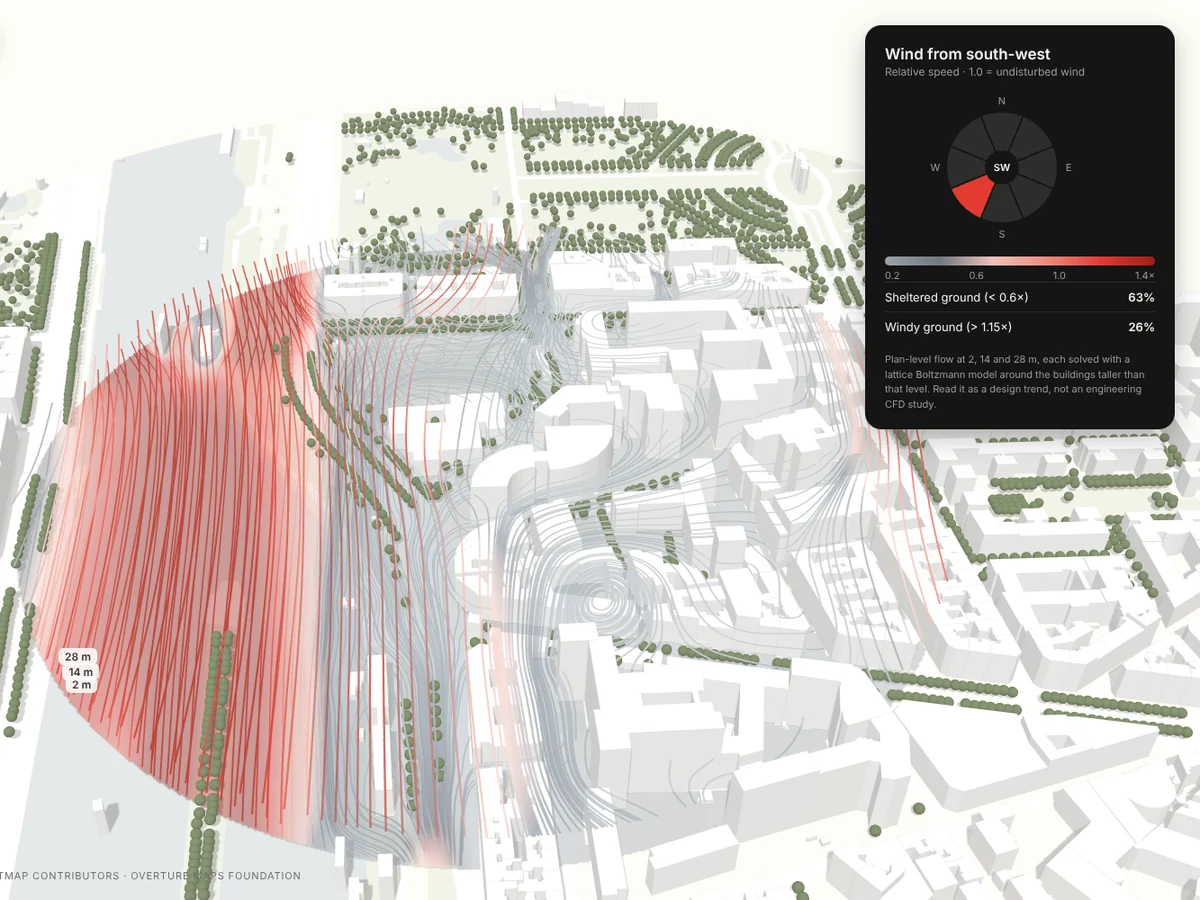
Wind streamlines at 2, 14 and 28 m around the real buildings for a chosen wind direction, coloured by speed against the mean at 28 m, in red or blue.

Examples

Milan, Lyon and Paris, straight out of MapToNap

Untouched exports from the 3D tab. The urban context axonometric is free with a watermark; the wind drawing is in Max.

Map data © OpenStreetMap contributors, available under the Open Database Licence. The images are MapToNap output.

How it works

How to make an urban context axonometric

Pin the site

Type an address in MapToNap or drop a pin on the map.

Open the 3D tab

In the analysis list, switch from 2D to 3D and tick Urban Context Axonometric (and Wind · 3D Flow with Max).

Generate and download

The model is built from the buildings around the site. Choose the colour scheme, then download PNG, SVG or PDF.

Frequently asked questions

Clear answers before you start

What is an urban context axonometric?

A 3D drawing of the buildings around a site, seen from above at an angle, used in architecture site analysis to explain the scale, density and skyline of the context. MapToNap makes one from the real buildings around any address, coloured by floors, with uses and two sections.

Is it free?

Yes, once: free users can make one urban context axonometric with a watermark, together with four free 2D analyses. Pro removes the watermark; Wind · 3D Flow is part of Max.

Where do the building heights come from?

From mapped or measured heights where they exist (OpenStreetMap and open building-height data), otherwise the number of floors at 3.2 m each, otherwise the typical height of similar buildings nearby. In places with few known heights the skyline is approximate.

Can I edit it?

The export keeps titles, labels and the legend as vector in SVG and PDF; the 3D render itself is an image inside the sheet. For a model you can edit, the 3D site model exports Rhino 3DM, OBJ and GLB with Max.

How accurate is the 3D wind?

It is a 2D lattice Boltzmann flow model run at three heights around the real building footprints and heights, for a chosen wind direction. It shows where the wind is likely to speed up and where it is sheltered; it is not an engineering wind study.