Does MapToNap export a native SketchUp SKP file?
No. Native .skp export is not currently available. For SketchUp-oriented workflows, MapToNap exports OBJ; 3DM and GLB are also available.
Search the project location, generate the surrounding 3D context and export OBJ for a SketchUp-compatible workflow. MapToNap does not currently export native .skp, so the page is clear about the handoff instead of pretending otherwise.
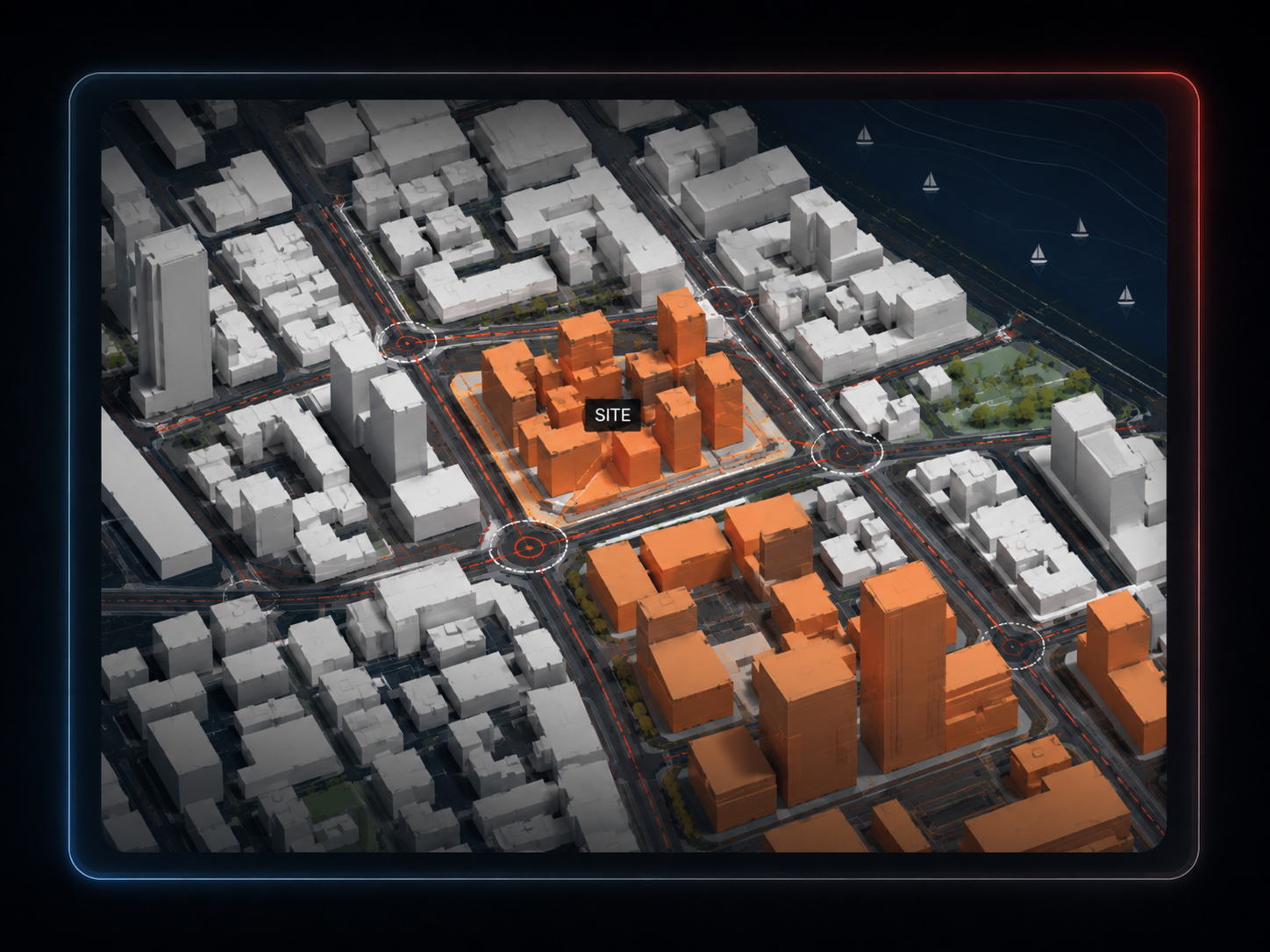
Start from the actual project location and draw a focused context area.
Choose buildings, terrain, roads and paths, water, green areas and trees, then inspect the 3D result in the browser.
Use OBJ as the mesh handoff for a SketchUp workflow. Import support depends on your SketchUp version and setup; convert or use a compatible importer when needed.
MapToNap currently exports 3DM, OBJ and GLB — not native .skp.
OBJ is a common mesh format and is the practical route when the next tool does not use Rhino 3DM.
The exported geometry is organised by model layer/group rather than being one screenshot or flattened image.
Generate 39 diagrams from the same project location.
Use the browser preview for massing, exploded layers and analysis-stack presentation before exporting.
Continue into MapToNap plan, section and portfolio tools when the task is more than just a 3D download.
No. Native .skp export is not currently available. For SketchUp-oriented workflows, MapToNap exports OBJ; 3DM and GLB are also available.
OBJ is the intended interchange route for SketchUp workflows. Exact import support depends on your SketchUp version and setup, so you may need a compatible importer or conversion step.
Yes. The 3D Site model can include buildings, terrain, roads and paths, water, green areas and trees.
No. The geometry is built from map data plus regional elevation data for terrain; it is not photogrammetry or an AI reconstruction from imagery.
Up to 4 km². With MAX, up to 1 km² includes three exports per 24 hours; 1–4 km² costs €2 per export.