What diagrams does a site analysis include?
Usually a location map, figure-ground, streets and movement, land use, green and water, sun, wind and noise, plus nearby amenities and views.
Site analysis is the first step of every architecture project, and the slowest: finding a base map, tracing, colouring, laying out. This guide walks through the sheets a site analysis set needs, what each one shows and how to make it look good, with a real example for every step, then shows how to generate the whole set in minutes.
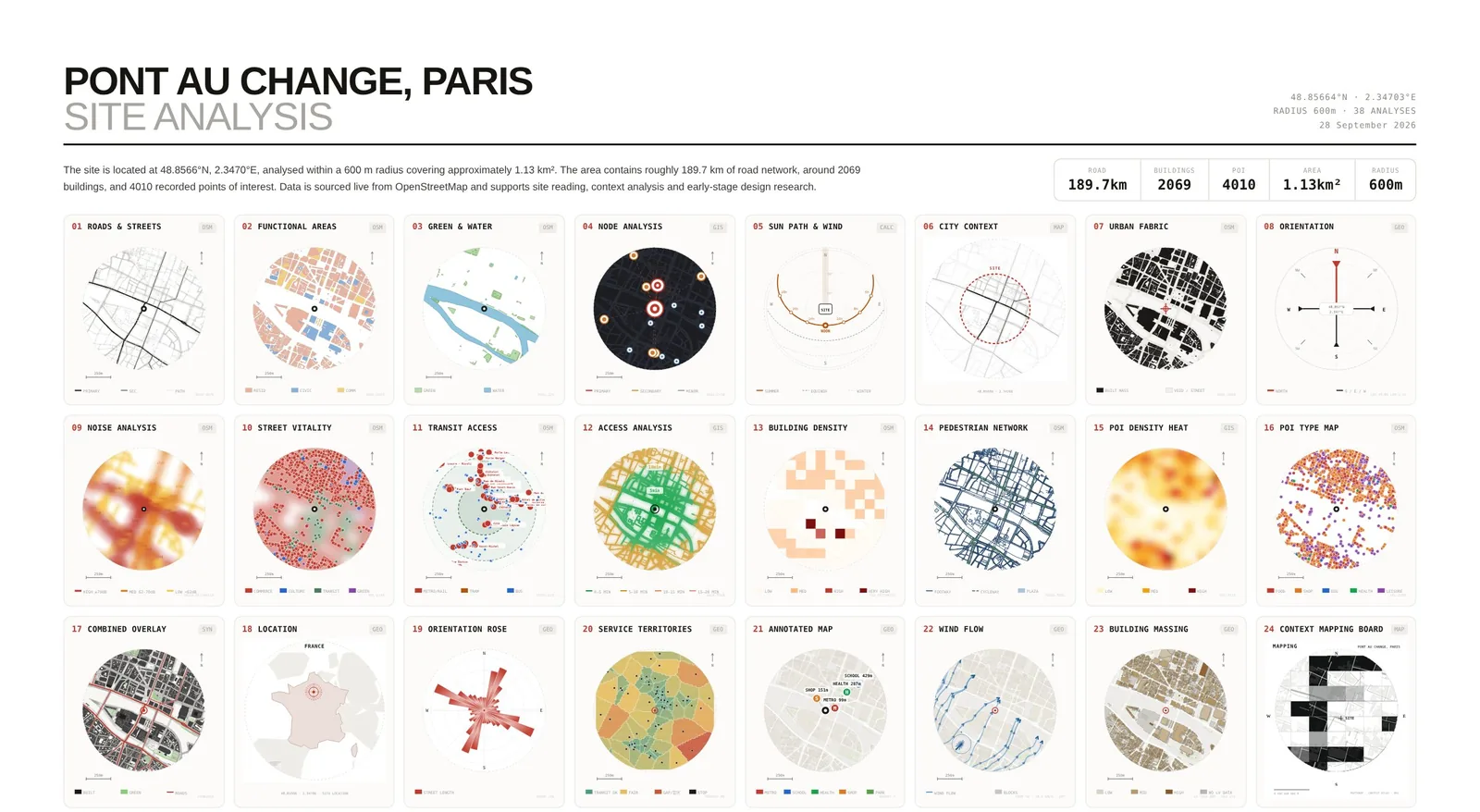
These eight steps follow the order most studios and competitions expect. The first six are about what to draw; the last is about making it look good.
Drop a pin on the site, then set the radius: 300 to 600 m for a building, 1 to 3 km for urban design. One radius means every sheet shares the same scale and north arrow.
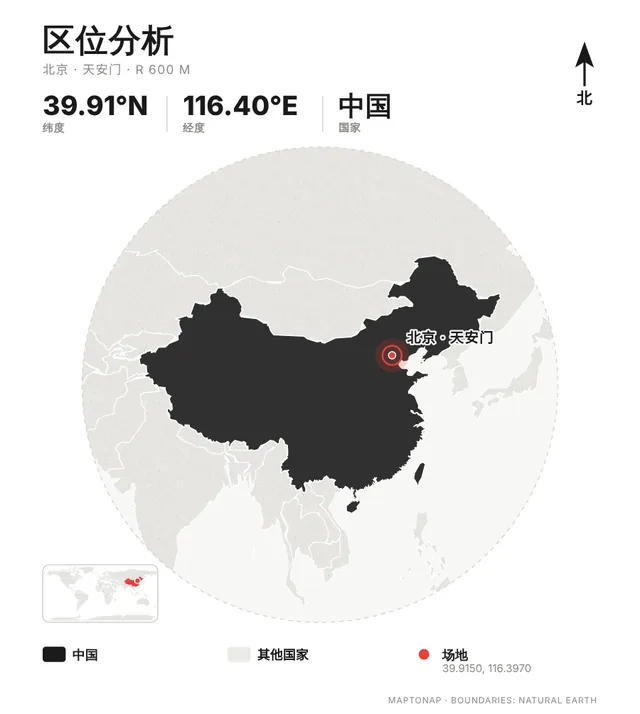
Show where the site sits in the country and the city: one macro map, one city map, then the site.
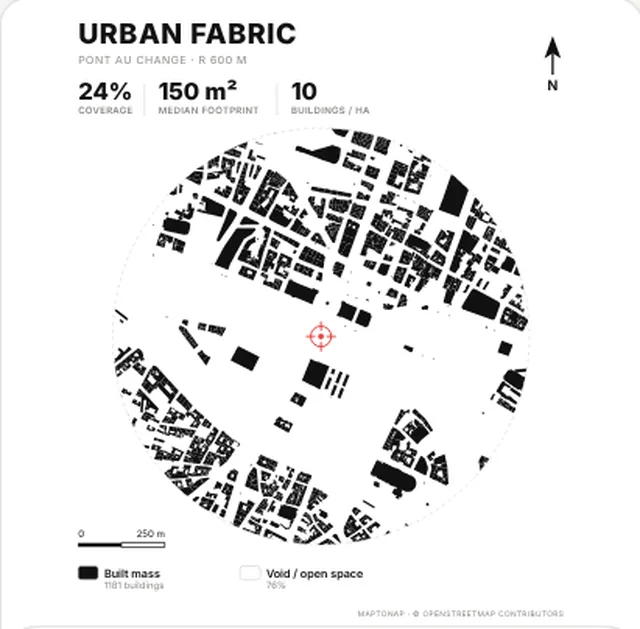
Buildings black, everything else white. It shows grain, block size and open space, and is the first drawing of nearly every site analysis.
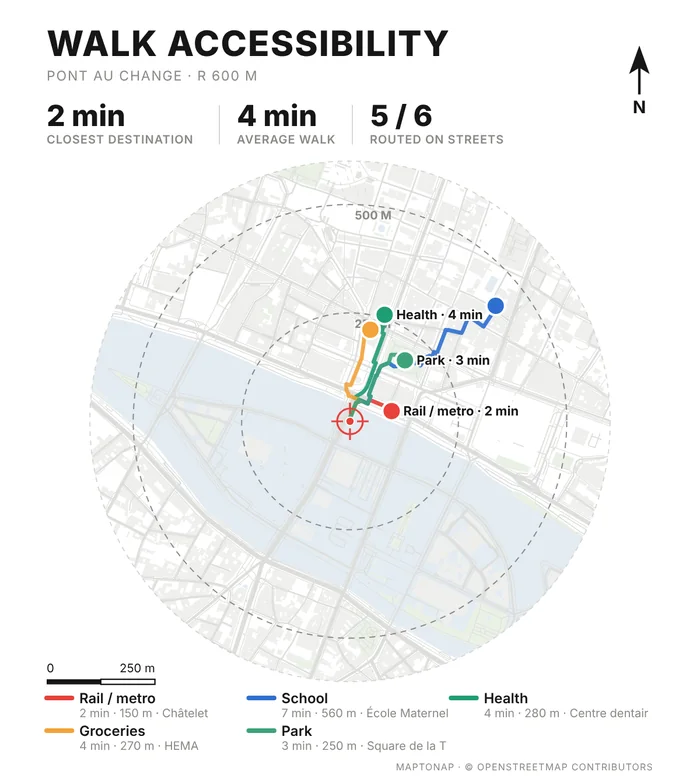
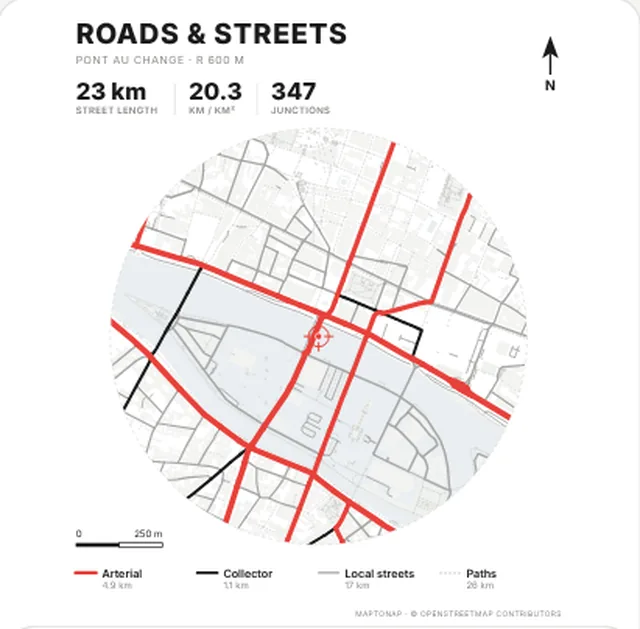
Rank arterials, collectors, local streets and paths to show access and the main flows, then add metro and bus stops.
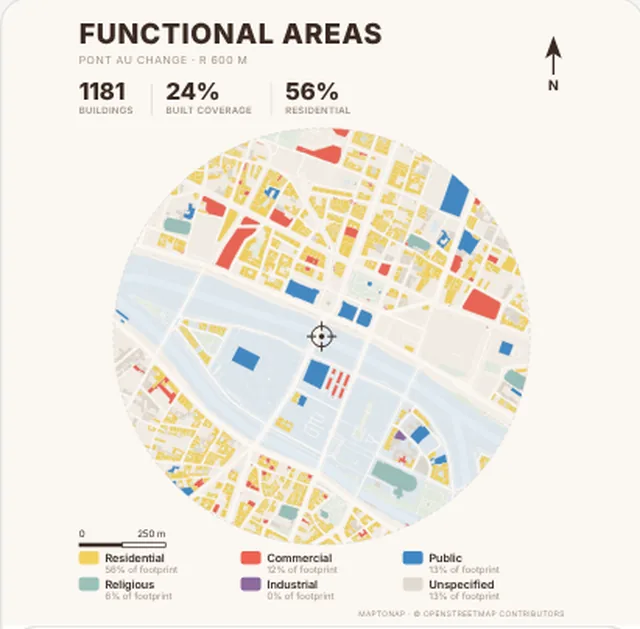
Colour housing, retail, public, industrial and religious uses to see what the area lacks, which grounds the programme.
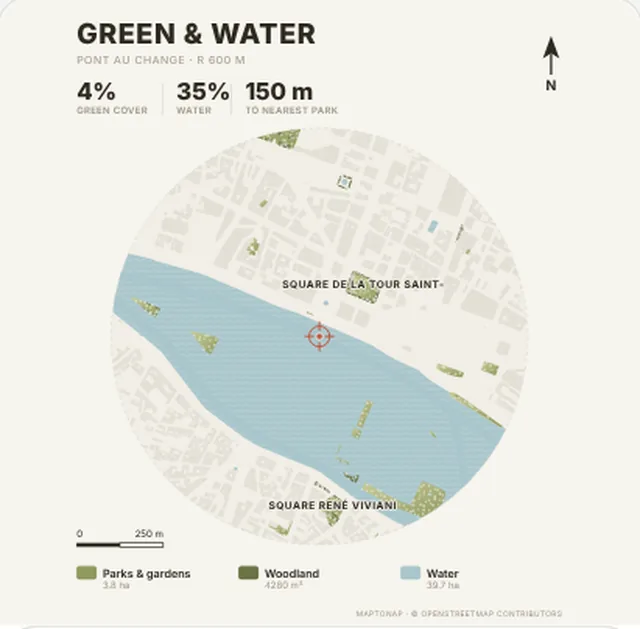
Parks, gardens, woodland and water on their own sheet, with the distance to the nearest park.
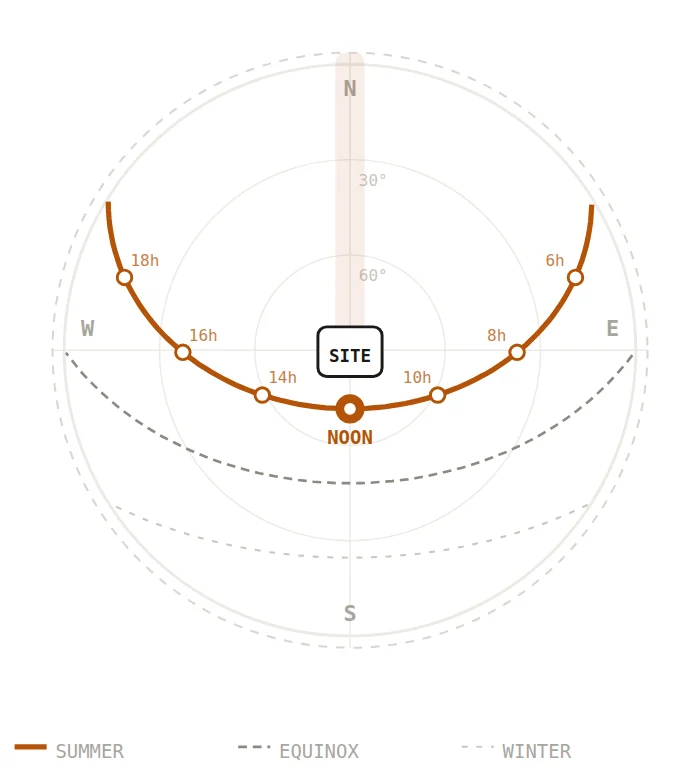
The environmental trio: sun path and hours, prevailing wind, road noise. They drive orientation, openings and massing.
The step that makes it look refined: one palette, one typeface, one scale and north arrow across every sheet, laid out on an A1 or A3 board.
Usually a location map, figure-ground, streets and movement, land use, green and water, sun, wind and noise, plus nearby amenities and views.
Traditionally a CAD or map base traced and coloured in Illustrator or Photoshop. A site analysis tool such as MapToNap generates editable SVG and PDF from an address, which you can refine in Illustrator.
OpenStreetMap, national mapping or a CAD survey. MapToNap uses OpenStreetMap buildings, streets and land use directly.
One low-saturation palette, one accent colour, one typeface and one scale across the set. See the 25 palettes in the colour guide.
Figure-ground, streets, land use and green and water, with no sign-up. Sun, wind, noise, 3D and more need Pro or Max.
Map data © OpenStreetMap contributors, licensed under the ODbL. Images are drawings generated with MapToNap.