What is the main difference?
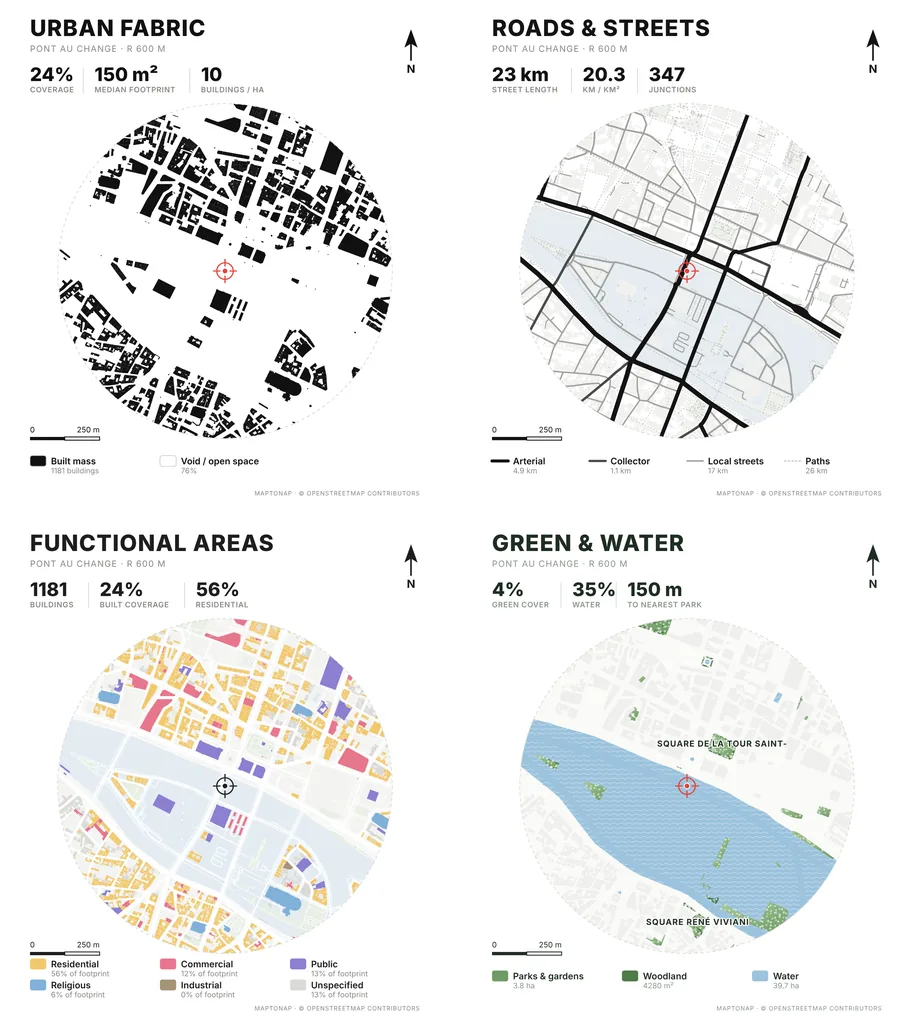
MapToNap treats the site map as the first sheet of a larger set: 51 analyses plus design diagrams and boards for the same location.
Some tools focus on one thing: a well-drawn site plan or a 3D context model, often with a free preview before export. MapToNap builds the context too, then keeps going with 51 analyses, design diagrams and presentation boards for the same site. This page is written by the MapToNap team. We compare kinds of tool rather than named products, and describe each by what it does best.
| Site map & context generators | MapToNap | |
|---|---|---|
| Core job | A site plan or a 3D context model | A full site-analysis set, then design and presentation |
| 2D site maps | The centre of the product | Figure-ground, streets, land use, green and water and 47 more |
| 3D context | Often offered, with Rhino, OBJ or GLB workflows | Rhino 3DM, OBJ and GLB (Max) |
| After the site | You continue in other software | Concept, strategy, flow and bubble diagrams; floorplan/AXO; A1 boards |
| Typical pricing | Per export, per map or subscription; some offer a free preview | Four drawings free (watermarked, no sign-up); Pro €7.99 or Max €12.99 for 30 days, Max for a year €49. One-off passes, nothing renews. |
Checked 25 October 2026. The left column describes what tools of this kind typically offer; individual products differ, so check the one you are considering. Features and prices change.
Your whole job is one site plan or one context model, and a single-purpose tool feels simpler.
The same project also needs analyses, diagrams and boards, and you want them in one style.
If concept and presentation tools are irrelevant to you, they add nothing.
Use one site for mobility, land use, density, climate and terrain without redrawing it.
Move from the sheets into concept, strategy, flow and bubble tools.
Floorplan/AXO and boards keep the project going after the context is done.
MapToNap treats the site map as the first sheet of a larger set: 51 analyses plus design diagrams and boards for the same location.
Yes. Four analysis drawings are free with a watermark and no sign-up. 3D export needs Max.
Yes: 3DM, OBJ and GLB with Max.
Choose by workflow. One clean plan: a single-purpose tool. A full analysis set: MapToNap.