Is GIS better than MapToNap?
For flexibility and data, yes. MapToNap is faster for the standard architecture drawings and needs no training.
Desktop GIS can make any map or spatial analysis if you learn it, and the leading programs are free and open source. MapToNap runs in the browser and draws a fixed set of site-analysis sheets from an address, in a style made for architecture boards. This page is written by the MapToNap team. We compare kinds of tool rather than named products, and describe each by what it does best.
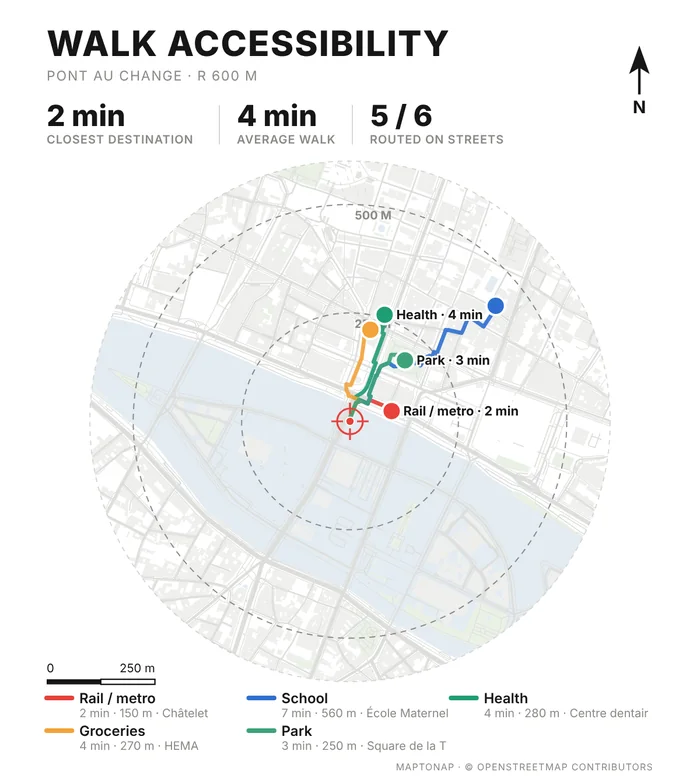
| Desktop GIS | MapToNap | |
|---|---|---|
| Core job | General-purpose GIS: any data, analysis and cartography | Site-analysis drawings for architecture |
| Skills needed | GIS basics: layers, projections, styling | None: pick a site and the analyses |
| Data | Whatever you load | OpenStreetMap, open terrain, climate and built-up records, fetched for you |
| Flexibility | Unlimited | 51 analyses with colour themes and custom legends |
| Typical pricing | Often free and open source | Four drawings free (watermarked, no sign-up); Pro €7.99 or Max €12.99 for 30 days, Max for a year €49. One-off passes, nothing renews. |
Checked 25 October 2026. The left column describes what tools of this kind typically offer; individual products differ, so check the one you are considering. Features and prices change.
You need official local data, a custom analysis or exact projections, and have time to learn.
You need a full set this week, in one style, without learning GIS.
Standard sheets in MapToNap; the one custom study in GIS.
Both can use OpenStreetMap, so outputs overlay.
MapToNap sheets sit next to GIS exports in your layout program.
Use the sheets as a checklist of what a site analysis should cover.
For flexibility and data, yes. MapToNap is faster for the standard architecture drawings and needs no training.
You can import Shapefile, GeoJSON and Chinese Tianditu data for sites where OpenStreetMap is thin.
No. MapToNap runs in the browser.
Four drawings are free; 30-day passes cover the rest.