What should a site strategy diagram show?
Usually the main design decisions: access, circulation, zoning, connections, views, edges, landscape structure and focal points.
A site strategy diagram shows how a design answers its site: where people enter, how they move, what is protected, what connects, what opens up and what becomes the focus. MapToNap Site Strategy draws those moves on a live map of your real site, so the story stays tied to its context, and every entry, zone, view cone and label stays editable.
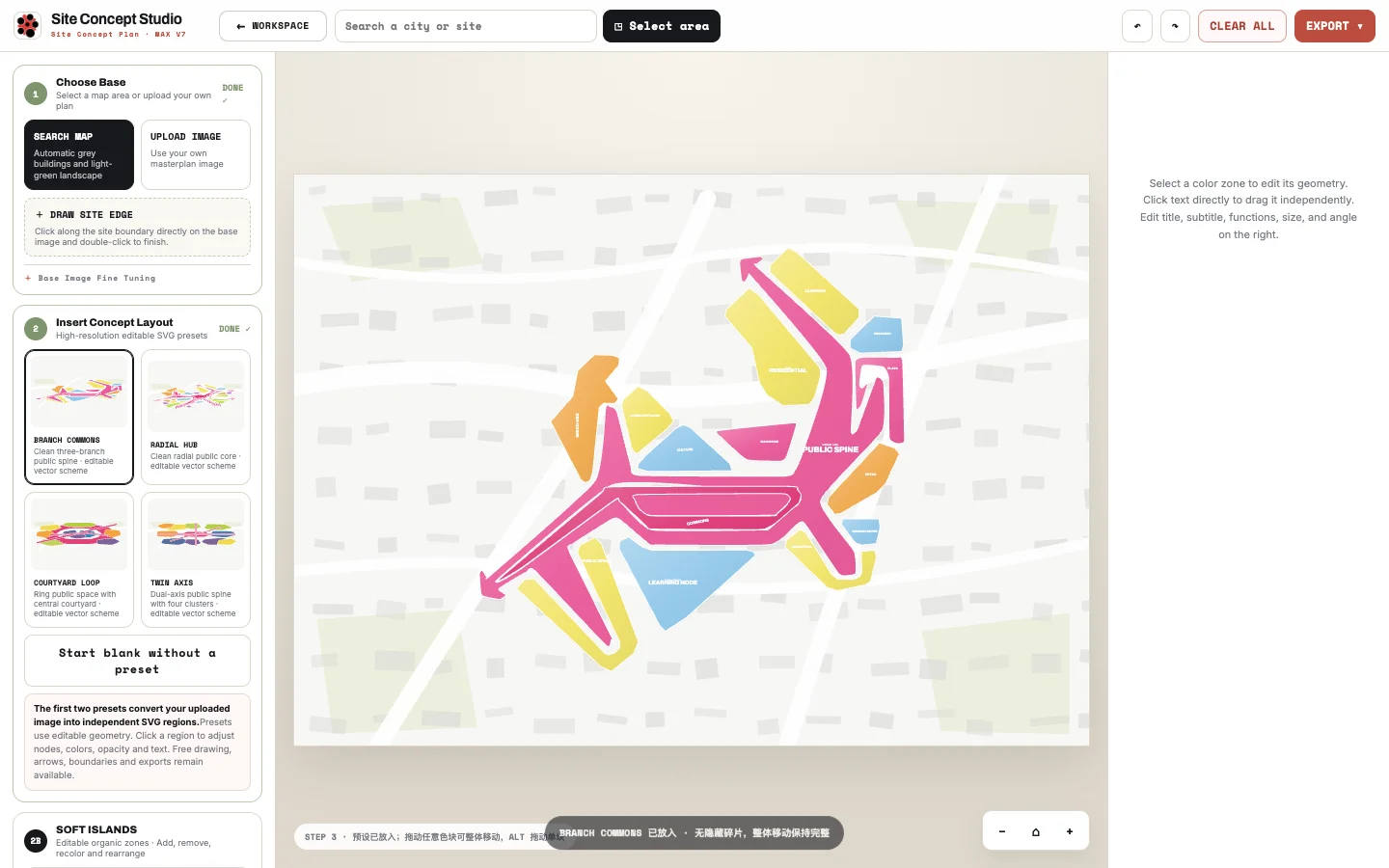
Add entrances, movement, view cones, emphasis rings, zones and key connections over a spatial base.
Use concise graphic presets that read clearly on an architecture board without rebuilding the diagram in Illustrator.
Move, resize, rotate, recolour and annotate strategy elements before export.
Open the strategy studio from the same MapToNap project and keep the site context.
Place entries, routes, zones, views and key moments.
Adjust weight, colour and emphasis until the idea reads immediately.
Usually the main design decisions: access, circulation, zoning, connections, views, edges, landscape structure and focal points.
Yes. Site analysis reads existing conditions; site strategy explains your design response to them.
Yes. The tool is designed to work with spatial context rather than an empty presentation page.
Yes. Export workflows are built into the strategy studio.